Tastics - AI Art Lab
- 4.6
- Rating
- 10.00K
- Installs
- Free
- Price

 Analysis by App-foxy
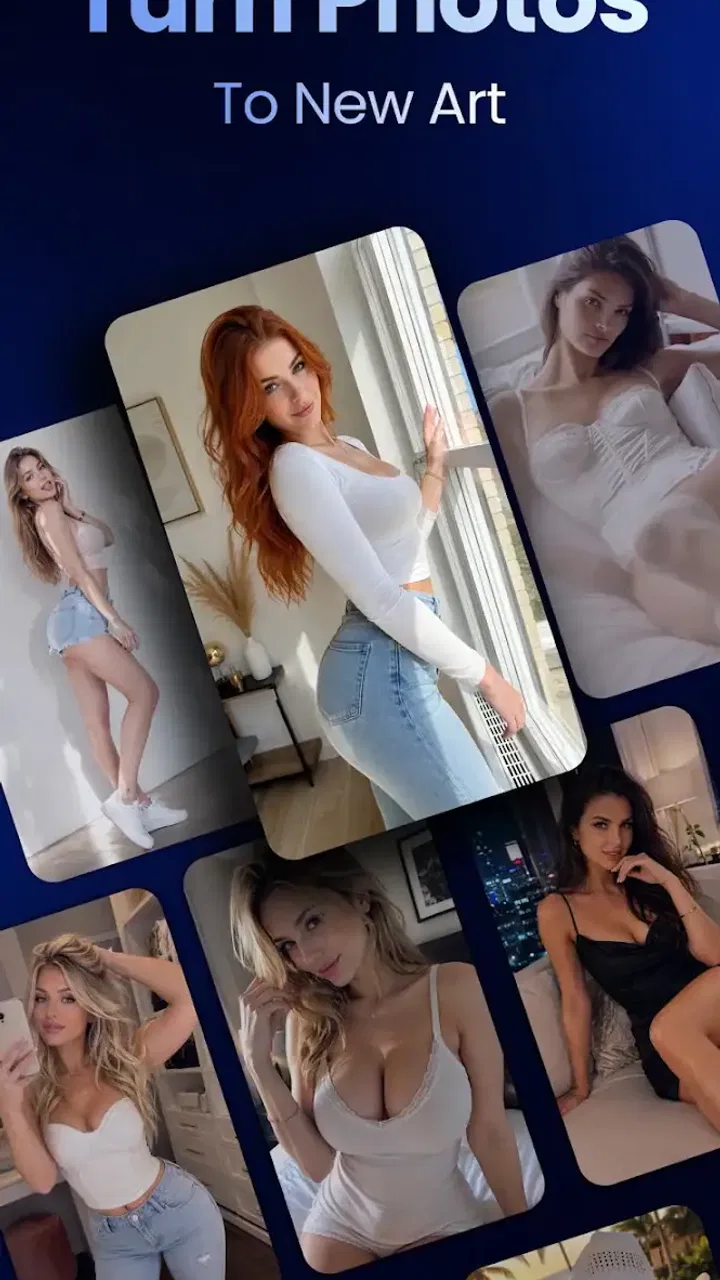
I spent time with Tastics as a lifestyle app built around AI-assisted image transformation, and my first impression was that it is aimed at people who want a quick creative result rather than a full editing workstation. Its focus is simple to understand: start with a photo, then use image-to-image or image-to-video tools to change its look or turn a still image into something more animated. That makes it interesting for social posts, personal experiments, and small visual projects where opening a complicated editor would feel like too much work.
The app is free to install, carries an Everyone age rating, and comes from Xuzhou Northline Technology Co., Ltd. It has reached over ten thousand installs and holds a 4.6 average from roughly a hundred ratings, which suggests that early users generally like the experience. I would still treat those figures as an early signal rather than a final verdict: the audience is not yet large enough to tell us how it behaves across every type of phone or under every workload.
How the creative workflow feels in everyday use
The most appealing part of Tastics is the short distance between an ordinary photo and a more stylized result. Instead of beginning with layers, masks, timelines, and adjustment panels, I can think in terms of an input image and a desired transformation. That approach suits casual users who know what they want visually but do not want to learn a traditional editor first.
You May Also Like

 AccuWeather: Weather Radar
AccuWeather Review: A Quick, Clear Forecast for Everyday Decisions
For everyday plans, the best forecast is the one you can understand quickly. AccuWeather makes rain timing, radar, and local conditions easy to act on, with a few trade-offs.

 Hill Climb Racing
Why Hill Climb Racing Still Turns Crashes Into One More Run
A tiny car, a bumpy hill and one more upgrade: Hill Climb Racing keeps resurfacing because its simple chaos makes every near-miss feel personal.

 AliExpress - Shopping App
AliExpress Makes Global Shopping Feel Personal, but Shoppers Bear the Risk
AliExpress turns a global marketplace into a pocket-sized discovery engine. Its reach is useful, its shopping loop compelling, and its trade-offs easy to miss.

 Lords Mobile: Kingdom Wars
Lords Mobile Is a Kingdom-Building Routine, Not a Quick Match
A case-by-case verdict on the building, battles, device demands, and social commitments that make Lords Mobile rewarding for some players and exhausting for others.

 PDF Scanner app - TapScanner
TapScanner Makes Paperwork Easier to Capture, Check, and Share
TapScanner makes scanning with a phone feel less like a rescue operation and more like a dependable step in getting work done. Its capture tools are useful, though not flawless.

 Block Blast!
 Shows How Much a Puzzle Game Can Leave Out
A quiet grid game shows why puzzle players increasingly value instant clarity, repeatable skill and low-pressure play—and where the genre still needs to catch up.
More From Our News Desk
View All News


A realistic example would be preparing a birthday image for a messaging group. I might choose a clear portrait, try an artistic transformation, and then use the image-to-video side to make the still feel more lively before sharing it. The value is not that it replaces every professional tool; it is that it makes a small creative task feel approachable when I have only a few minutes.
The same workflow can help with mood boards, profile-image ideas, travel-photo variations, or a quick visual concept for a personal project. I found the strongest use case is exploration. Rather than spending a long time perfecting one edit, I can test a direction, decide whether it works, and move on. That is a different experience from a conventional photo editor, where precision is usually the main goal.
The important trade-off is control versus convenience. Tastics is attractive when I want the app to do much of the visual interpretation. It is less suitable when I need exact color values, carefully positioned objects, consistent typography, or a repeatable professional workflow. A standard editor remains the better choice for those jobs because its tools are designed around direct control rather than automated transformation.
Speed expectations for AI transformations
AI image work should not be judged by the same standard as opening a gallery or applying a basic crop. A simple local edit can feel immediate, while an image-to-image or image-to-video request may require more processing. I would therefore use Tastics with the expectation that creative generation is the part of the experience most likely to interrupt a rapid workflow.
For a quick experiment, that wait is usually acceptable because I am asking the app to produce something new rather than merely display an existing file. It becomes more noticeable when I am trying several variations back to back. My practical advice is to decide what matters most in the source image before starting: a clear subject, a useful composition, and a specific creative intention reduce wasted attempts.
One useful habit is to keep the first test modest. I would begin with one photo and one transformation idea, inspect the result, and only then commit to a longer image-to-video experiment. This avoids spending time processing a source image that was never suitable for the effect. It also makes it easier to identify whether an unexpected result comes from the original photo or from the chosen transformation.
People who need instant previews for a live event may find this less convenient than a conventional filter app. Tastics makes more sense when I can tolerate a short pause in exchange for a more substantial visual change. If speed is the only priority, a basic editor with ready-made filters will probably feel more responsive.
What happens during heavier creative sessions
The workload changes noticeably when I move from one still-image experiment to repeated generations or image-to-video work. Video-oriented processing naturally asks more from the device and the app than a quick image adjustment. I would avoid treating the app like an unlimited production suite on an older phone, especially if I am also keeping many other apps open.
For heavier use, I would work in batches with a clear stopping point. Select the source images first, test the visual direction on one of them, and continue only if the result is close to what I need. This is more efficient than sending every photo through the same process and discovering later that the style does not suit the collection.
Another practical tip is to preserve the original photo before experimenting. AI transformations are best treated as creative branches, not replacements for the source. Keeping the original lets me try a different direction later and prevents a disappointing result from becoming a permanent setback.
Heavy sessions also expose a common tension in this kind of app: convenience encourages experimentation, but experimentation can create more waiting and more generated files. I would periodically review the results and remove attempts that have no real use. That keeps the workflow easier to manage and prevents a growing pile of near-duplicates from making the useful image harder to find.
Reliability and recovering from an imperfect result
Reliability here is not only about whether the app opens. It is also about whether the result matches the intention closely enough to be useful. AI transformation can be surprising by design, and a technically completed generation may still feel wrong because the subject, mood, or visual identity has shifted too far.
When a result misses the mark, I would not immediately blame the app. The source image matters a great deal. A sharply defined subject with a simple composition gives the transformation a clearer starting point than a dark, crowded, or heavily blurred photo. Testing with a strong source first is the fastest way to separate a workflow problem from an input problem.
Recovery is easier when I use an incremental process. I would keep the original, save a successful intermediate result, and change one creative decision at a time. If I alter everything at once, I lose the ability to understand why a later version improved or became worse. This approach is especially helpful for image-to-video experiments, where a small change in the source can affect the overall impression of the animation.
I also recommend treating the first output as a draft. The app is more enjoyable when I expect to compare possibilities rather than receive a perfect final asset every time. Users looking for exact repeatability may find that frustrating, while people who enjoy visual discovery will probably see it as part of the appeal.
Device limits and resource-conscious use
Tastics requires Android 7.0 or later, so it is available to a broad range of Android devices. Compatibility alone does not mean every supported phone will deliver the same experience, however. AI-focused image and video tasks can feel very different on a newer device than on an entry-level model with limited memory or storage.
On a less capable phone, I would avoid switching rapidly between multiple demanding apps while a transformation is in progress. Closing unnecessary background apps, keeping enough free storage for generated media, and working with a manageable number of source images are sensible precautions. They do not guarantee a particular speed, but they reduce avoidable friction.
Screen size also affects the experience. A larger display makes it easier to judge whether a transformed face, background, or composition still looks convincing. On a small phone, an output may appear acceptable at a glance but reveal awkward details when viewed more closely elsewhere. I would inspect important images at full size before sharing them.
Battery planning matters most for people who use the app repeatedly or focus on image-to-video creation. I would not begin a long creative session immediately before leaving home with a low battery. This is not a criticism unique to Tastics; it is a practical consequence of asking a mobile device to handle demanding visual work rather than simple browsing.
The app is free, but in-app purchases range from $2.99 to $199.99 per item. That makes it important to understand your own usage before committing to frequent experimentation. Someone who only wants occasional creative edits may find the free starting point sufficient, while a regular creator should pay close attention to the cost of repeated use inside the app.
Where it beats ordinary editors, and where it does not
Compared with a normal photo editor, Tastics is easier to approach when the desired result is expressive rather than exact. A traditional editor is excellent for cropping, correcting exposure, removing small distractions, and preparing a clean final image. Tastics is more compelling when I want to ask, in effect, “What could this photo become?” rather than “How do I fix this one detail?”
Compared with a simple filter application, it offers a more ambitious creative direction through image-to-image and image-to-video transformation. The trade-off is that a filter app usually gives me a predictable preview, while an AI workflow can take longer and produce results that need selection. For a fast post before a meeting, I would choose the simpler tool. For a playful visual idea after the meeting, Tastics is the more interesting option.
It also should not be confused with a full desktop creative suite. If I am preparing branded material that must follow exact guidelines, editing a product catalogue, or building a video with precise timing, I would use software designed for those requirements. Tastics fits the earlier stage of the process: brainstorming, experimenting, and creating a visually distinctive draft.
Who should try it and who should skip it
I would recommend Tastics to casual creators, social-media users, and anyone curious about turning familiar photos into something less ordinary. It is particularly suitable for people who feel overwhelmed by professional editing interfaces but still want more than a basic preset. The image-to-video option also gives still-photo users a way to explore motion without starting with a conventional video editor.
I would be more cautious about recommending it to photographers who need faithful color, predictable retouching, or strict control over every part of an image. I would also suggest that users with older or modestly powered devices begin with small tests rather than assuming every transformation will feel effortless. And if you dislike variable results or do not want to review several attempts, a straightforward filter or manual editor may suit you better.
Privacy-conscious users should make their own judgment before working with sensitive personal images. I would avoid using confidential documents, private identification images, or photos that I would not want processed by a creative service. For ordinary personal pictures, the decision is more comfortable, but I would still think carefully about the subject and intended audience before transforming and sharing it.
Version, cost, and the overall performance verdict
The current version is 1.3.3, and the app’s early reception is encouraging without being conclusive. I see it as a focused creative companion rather than an all-purpose image editor. Its strongest quality is the low barrier between choosing a photo and trying a new visual direction.
My performance verdict is balanced: Tastics should feel most rewarding when I plan around AI processing instead of expecting every action to be instant. Image-to-image work is a sensible entry point, while image-to-video is better reserved for moments when I have more patience, battery, and storage available. The app’s usefulness depends as much on choosing a good source image and managing expectations as it does on the transformation itself.
After using it, I would keep it installed for idea generation, casual sharing, and those moments when a normal photo needs a more unusual treatment. I would not make it my only editing tool. The free entry point makes trying it easy, but the range of in-app purchase prices means frequent users should decide in advance how much experimentation is worthwhile.
In short, Tastics is a good fit for approachable AI creativity, especially if you enjoy comparing unexpected visual results. It is not the right answer for precision editing, guaranteed consistency, or instant turnaround. If you understand that boundary, keep your originals, test one source before processing a whole batch, and use a capable device for heavier work, the app can be a genuinely enjoyable addition to a mobile creative routine.
FAQs for Tastics - AI Art Lab
01What is Tastics - AI Art Lab, and what can I create with it?
Tastics - AI Art Lab is an AI-powered creative app designed to turn written prompts or visual ideas into artwork. Depending on the tools available in the current version, you can experiment with generated illustrations, stylized images, portraits, wallpapers, and other creative compositions. It is aimed at both casual users and creators who want to explore different artistic styles without needing advanced drawing or editing skills.
02Is Tastics - AI Art Lab free to download and use?
The app may be available as a free download, but access to all features is not necessarily unlimited. AI image generation can involve daily credits, usage limits, advertisements, or optional premium subscriptions and purchases. Before creating a large number of images, check the pricing page and subscription details carefully, including renewal terms, available credits, and whether unused credits expire. Store pricing can also vary between Android and iOS.
03Does Tastics require an internet connection to generate images?
Yes, an internet connection is generally required for the main AI generation features because prompts are processed on remote servers rather than entirely on your phone. A stable Wi-Fi or mobile-data connection can help prevent failed generations and long waiting times. You should also consider data usage if you create many images, especially while traveling or using a limited mobile-data plan.
04Can I use images created with Tastics commercially?
Commercial usage depends on Tastics’ current terms of service, the selected plan, and sometimes the type of content generated. Do not assume that every image automatically belongs to you with unrestricted commercial rights. Review the app’s licensing rules before using generated artwork for advertising, products, social-media monetization, client work, or business branding. You should also avoid prompts that imitate protected characters, living artists, or copyrighted brands without permission.
05Is Tastics - AI Art Lab safe for children and private images?
Parents should review the app’s age rating, content filters, privacy policy, and account requirements before allowing children to use it. AI tools can produce unexpected or inappropriate results depending on the prompt, even when safeguards are enabled. For privacy, avoid uploading sensitive photographs, identification documents, or images of other people without consent. Check how prompts and uploaded images are stored, processed, and deleted before using personal material.
Pros
- Generates multiple visual styles from a single prompt.
- Useful for experimenting with creative ideas without design skills.
- Simple interface makes image creation quick to start.
- Can provide inspiration for social posts
- wallpapers
- and concepts.
- AI results are often produced within a short waiting time.
Cons
- Output quality can vary significantly between prompts.
- Some advanced features may require a subscription or credits.
- Generated images may contain odd details or distorted text.
- Privacy terms should be checked before uploading personal photos.
- Results may feel repetitive when using similar prompts.

Tastics - AI Art Lab
Gallery